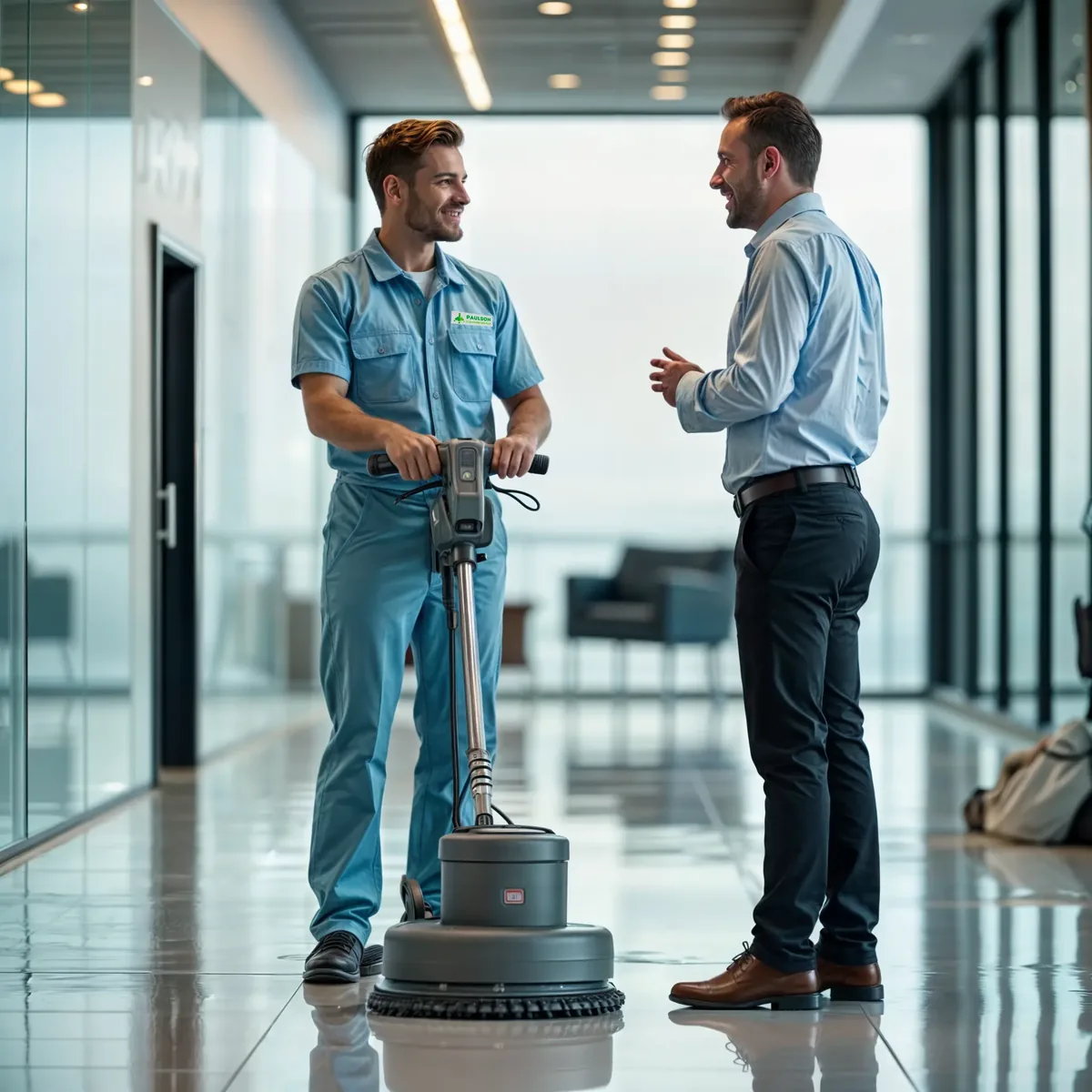

Janitorial Service Software for Managing Your Team
Streamline Job Scheduling, Dispatching, and Customer Management for Janitorial Teams
Janitorial software built around how cleaning crews actually run the night.
Run dispatch, the crew, and QuickBooks from one system. The supervisor sees every crew and every building in real time; the cleaner pulls up the building's access codes and scope checklist before opening the door; the bookkeeper sees the multi-site invoice the moment the last shift closes out. That's janitorial service software working the way a busy cleaning operation actually runs.
key benefits
Key Benefits of Janitorial Software

Built for Janitorial Operations That Run Nightly Cleanings, Recurring Floor Care, and Multi-Site Commercial Accounts — All From One Schedule
Smart Service is janitorial software built around how cleaning operations actually run — nightly restroom and trash routes in one column, weekly floor care in another, monthly detail work and special requests in a third. The office books and dispatches from a single board. Crews work from a mobile app that already knows the building access, scope, and prior inspection history. The back office gets multi-site invoices in QuickBooks the same day the last shift closes.
- Faster PaymentsClean multi-site statements for property managers and commercial accounts close the same week the work happens — not three weeks later when someone reconciles paper tickets.
- Automated SchedulingRecurring nightly routes, weekly floor care, and monthly detail work populate the calendar themselves. Coverage gaps reassign in real time when a crew member calls out before a shift.
- QuickBooks IntegrationThe work order, the multi-site invoice, and the books are one connected record. Bookkeepers stop assembling property-by-property statements by hand.
- Paperless Job ManagementEvery shift runs on a connected digital record from check-in to inspection sign-off. No paper tickets, no clipboards, no "let me check with the night supervisor and call you back."
- Improved Crew ProductivityThe mobile app puts the building access codes, scope checklist, supply notes, and prior inspection notes in front of the crew before they walk through the door.
- Enhanced Customer CommunicationProperty managers know when the crew checked in, when inspections passed, and when special requests are scheduled — without your office picking up the phone.
Features of Janitorial Service Software
Key Features for Janitorial Service Businesses
Streamline Operations and Optimize Your Janitorial Service Workflows with Smart Service
Five connected tools — built for cleaning operations that run nightly routes, recurring floor care, and multi-site commercial accounts from the same schedule.

Real-Time Scheduling
Build recurring cleaning schedules by account — nightly restrooms, weekly floors, monthly detail work — and let Smart Service assign the right crew automatically based on skills, availability, and building location.
- Set up recurring schedules by account and frequency so the right crew is dispatched without rebuilding the calendar each week.
- Manage crew coverage gaps in real time, reassigning accounts when a cleaner calls out before a shift starts.
- Group accounts by route and geography to minimize drive time between buildings on the same night.

Mobile App for Technicians
The Smart Service Mobile App runs on iPhone, iPad, and Android, giving cleaning crews everything they need for each building before they walk through the door — access codes, cleaning scope, supply notes, and service history — without a phone call to the office.
- Check in and out of each property with time-stamped punches tied to the specific account, so time tracking by building is automatic.
- Complete digital checklists, capture inspection photos, and collect supervisor sign-off directly from the app before leaving the site.

Work Order Management
Every janitorial job — from a nightly restroom-and-trash round to a quarterly floor strip-and-wax — starts as a work order with scope, crew assignment, and account-specific notes, and ends with a documented, billable record.
- Manage recurring and one-time work orders from creation to completion, with real-time status visible to the office throughout the shift.
- Track special requests, add-on work, and inspection corrections on the same work order so billing reflects exactly what was done.

Customer Management
Smart Service’s built-in CRM is designed for the account structure janitorial businesses actually use — property managers with multiple buildings, tenant contacts per floor, and billing that rolls up to a single statement at the top.
- Store building-specific records for each account: access codes, cleaning scope, supply inventory, and contact hierarchy by property.
- Track inspection history and service notes per building so any crew can walk into an account and know exactly what’s expected.
- Manage service agreements and recurring cleaning commitments so no account slips off the schedule unnoticed.

QuickBooks™ Integration
Janitorial businesses often invoice the same property manager across multiple buildings with different cleaning scopes and frequencies. Smart Service syncs every completed work order to QuickBooks™, so multi-site statements are built from the field, not assembled by hand in the office.
- Sync all invoices, payments, and labor data to QuickBooks™ — no double entry across multiple accounts or billing cycles.
- Send digital invoices directly from the job site the moment a shift closes out, speeding up payment from commercial accounts.
Janitorial runs on three forces most field service software doesn't account for: recurring nightly schedules where every building has its own scope and frequency, building access details (keys, fobs, alarm codes, after-hours rules) that change by site and shift, and multi-site billing where property managers expect clean statements across dozens of locations.
When the office runs on shared spreadsheets and texted instructions, those forces win — crews arrive without access codes, inspections slip without a photo trail, supply stockouts go unnoticed until a property manager complains, and multi-site invoices get assembled by hand. Smart Service gives janitorial operations the recurring scheduling, mobile access details, inspection sign-offs, and multi-site billing tools to keep all three straight.
Here are the most common challenges janitorial service businesses face — and how Smart Service helps solve them:
From managing multiple technicians to tracking recurring maintenance, the demands are high.
- Nightly Routes With Different Scope One building is nightly restrooms and trash, another is weekly floors, and a third has quarterly detail work.
- Solution Recurring schedules, service agreements, property notes, job types, and checklists help manage different cleaning frequencies by account.
- Building Access Chaos Keys, fobs, alarm codes, loading docks, security desks, and tenant access rules change by building and shift.
- Solution Property records, customer alerts, access notes, photos, attachments, and mobile job details keep instructions visible for crews.
- Crew Time by Building A crew may clean five buildings in one night, and payroll, billing, and productivity depend on knowing where the time went.
- Solution Mobile time punches, job status updates, route assignments, and work order history help track time by property.
- Quality Complaints Without Inspection History A customer says the restrooms are slipping, but there is no inspection trail to show patterns, corrections, or crew accountability.
- Solution Digital forms, supervisor notes, photos, Task Boards, and property history help document inspections and corrective work.
- Supply Stockouts at the Site Paper goods, liners, soap, chemicals, and floor supplies run out before the office knows there is a problem.
- Solution Property notes, item lists, inventory availability, photos, and follow-up tasks help track supply needs by location.
- Special Requests Lost in Texts A property manager asks for a spill cleanup, event reset, or extra restroom service, and the request gets buried.
- Solution Text messaging, portal bookings, work orders, notes, and Task Boards turn special requests into scheduled, trackable work.
- New Crew Onboarding by Memory A substitute crew can ruin an account if they do not know the building, scope, contact, access, or customer preferences.
- Solution Mobile job notes, photos, checklists, attachments, and service history help new crews work from the same instructions.
- Multi-Site Account Billing Property management companies want clean invoices across multiple buildings, not a pile of disconnected tickets.
- Solution Parent customers, service locations, invoices, payment terms, and QuickBooks-connected workflows help organize multi-site billing.
key advantages of smartservice:
- Go 100% PaperlessWork orders, building access notes, inspection photos, supervisor sign-offs, and supply tracking all live in the app. No paper tickets, no end-of-shift data entry, no lost notes.
- Accelerate Invoicing and PaymentsMulti-site invoices generate from the field the moment the shift closes. Cash flow keeps up with the work instead of trailing it by weeks.
- Automate Customer CommunicationProperty managers get crew check-in confirmations, inspection summaries, special-request approvals, and supply-reorder alerts automatically — so the front desk stops being the bottleneck.
- Onboard Substitute Crews Without Account RiskBuilding access codes, scope checklists, supply notes, and prior inspection photos all live in the mobile app. A fill-in crew walks in knowing exactly what the regular team would have done.
- Catch Quality Issues Before the Customer CallsInspection photos, supervisor sign-offs, and Task Board patterns surface restroom slip-ups and floor care misses before the property manager notices — so corrective work happens before the complaint, not after.
- Cut Phone Tag Between Office and CrewsDispatch updates push to the crew's mobile app; check-in times, inspection photos, supply notes, and special-request flags push back to the office. The "who's at which building / did the floors get done / what supplies are out" calls drop off the supervisor's day.
- Grow Account Volume Without Growing the OfficeRecurring routes rebook themselves. Multi-site invoices sync to QuickBooks themselves. Customer reminders send themselves. One supervisor carries more crews; one bookkeeper carries more accounts.
- Keep the Books Clean Every DayEvery closed shift syncs to QuickBooks the moment the supervisor taps "Done." Month-end reconciliation goes from a multi-day property-by-property project to a glance.
workflow
From First Cleaning Contract to Paid Invoice — The Smart Service Janitorial Service Workflow
A property manager signs a contract for nightly restroom service and weekly floor care across three office buildings. The office sets up recurring work orders in Smart Service — scope, crew assignment, and building-specific notes — and the schedule runs itself from there. Each night, crews open the mobile app to see their building list, check access codes, and work through digital checklists as they go. Time punches log automatically by property. Inspection photos and supervisor sign-offs close the work order at the end of the shift. The moment the job closes, QuickBooks™ picks up the data and the invoice goes out — no paper, no phone calls, no lag between the last trash bag and the payment in the bank.
Smart Service adapts to how your janitorial business runs — whether that’s one crew handling a handful of accounts or dozens of teams covering commercial portfolios across a metro area.
The 6-Stage Smart Service Janitorial Service Workflow
- Marketing Capture leads through integrated email campaigns, lead forms, and online booking, ensuring a steady stream of new clients for your janitorial business.
- Estimate/Quote Quickly generate accurate estimates and quotes, track follow-ups, and convert them into active jobs to boost conversion rates.
- Job Scheduling Automate job scheduling and work order creation, assigning tasks based on crew availability, skillset, and location for maximum efficiency.
- Dispatch & Communication Send job details and updates directly to your technicians through the mobile app, ensuring seamless communication and job tracking.
- On-Site Service Technicians can log time, capture signatures, and submit work orders directly from the job site, reducing paperwork and administrative overhead.
- Invoicing & Billing Create invoices from the office or job site and shorten billing cycles with integrated payment options, ensuring faster payments and improved cash flow.
customer portal
Janitorial Customer Self-Service Without Adding Office Headcount
The Smart Service Customer Portal gives your janitorial customers 24/7 access to request special services, submit complaints, view inspection reports, and pay multi-site invoices online. Property managers can pull cleaning history across multiple buildings. Tenant contacts can submit one-time requests. Commercial accounts can see inspection trails for facilities reporting.
Less back-and-forth on the office phone line. Faster payments. Property managers who stay informed between shifts.
What the Portal Handles:
- Special Requests Without a Phone Call Property managers and tenant contacts submit spill cleanups, event resets, and extra service requests through the portal — so the office books from a written record, not a voicemail.
- Inspection Report Access Property managers can pull inspection photos, supervisor sign-offs, and corrective-work history per building when they need it — for compliance, tenant complaints, or contract reviews.
- Self-Service Payment Online card payment shortens billing cycles and reduces multi-site statements going out the door each month.
- Multi-Site Service History on Demand Account-level customers can pull job history across all their buildings in one view — for budgeting, vendor reviews, or renewal negotiations.
- Service Schedule Confirmation Recurring-cleaning customers can confirm their nightly route, see upcoming floor-care visits, and request schedule changes without calling the office.

Empower Your Customers with 24/7 Access to Services
Revolutionize Your Workflow with the Smart Service Customer Portal – Convenience, Efficiency, and Loyalty at Your Fingertips
With the Smart Service Customer Portal, you can:
- Automate Job BookingsCustomers can book services directly through the portal, reducing phone calls and scheduling errors.
- Provide Invoicing and Payment OptionsCustomers can view invoices and make payments online, speeding up the payment process and improving cash flow.
- Offer Service History AccessCustomers can review their service histories at any time, building trust and transparency.
- Reduce Operational CostsAutomating routine tasks through the portal means your team spends less time on admin and more time on high-value work.
- Encourage Repeat BusinessThe convenience of the portal encourages customers to return for future services and recommend your business to others.
- Boost Customer LoyaltySelf-service options give your customers control, enhancing satisfaction and building long-term loyalty.
TAKE action
Maximize Your Business Potential with SmartService
Smart Service gives you the tools to automate your workflow, improve operational efficiency, and deliver an exceptional customer experience. With real-time scheduling, customer management, and invoicing solutions, you can eliminate inefficiencies and focus on what truly matters—growing your business.
FAQ
How does Smart Service help janitorial companies document inspections for property managers?
Property managers expect accountability — and Smart Service gives janitorial businesses a documented trail to back it up. Supervisors and crew members can complete digital inspection checklists, capture before-and-after photos, and collect sign-off directly from the mobile app at the end of each shift. Every photo, note, and completed checklist is stored on the property record so the office can pull the full inspection history for any account at any time. When a property manager questions the quality of service, the documentation is already there.
Can Smart Service track crew time by building for janitorial payroll and billing?
Yes. When cleaning crews check in and out of each property using the Smart Service mobile app, time is logged with a timestamp tied to that specific account — not just to the crew member's shift as a whole. That means payroll, client billing, and productivity reporting all reflect time at the building level, not just total hours for the night. For janitorial businesses that clean five or six buildings per shift, this eliminates the guesswork of manually dividing crew time across multiple accounts after the fact.
How does Smart Service help janitorial businesses manage accounts with different cleaning frequencies?
Most janitorial companies run accounts with completely different scopes under the same roof — one building gets nightly restrooms and trash, another gets weekly floor care, and a third has monthly detail work. Smart Service handles this through recurring work orders that are set up per account and frequency. The office builds the schedule once and the system dispatches the right crew to the right building on the right night, without rebuilding the calendar from scratch each week. Checklists and service scope are stored per account so crews always know exactly what's expected when they arrive.
How does Smart Service improve job scheduling for Janitorial Service businesses?
Smart Service revolutionizes job scheduling for janitorial service businesses by streamlining operations and improving efficiency across various job and customer types. With drag-and-drop scheduling, you can easily adjust appointments in real time, while Quick Entries speed up scheduling using pre-configured templates for recurring cleaning contracts. Real-time tracking provides full visibility into your janitorial crews' status, allowing for quick decision-making, and Crew Scheduling simplifies managing teams on larger jobs. Route optimization reduces travel time, enabling your team to complete more jobs in a day, while integrated text messaging keeps everyone informed of schedule changes. Additionally, Smart Service handles a wide range of job types, from one-time service calls to recurring maintenance and multi-day projects, automating scheduling to ensure efficiency. For businesses managing route work, the platform's optimization tool efficiently groups jobs by proximity. Smart Service also offers flexibility for serving both residential and commercial clients, tracking service histories, equipment, and invoicing preferences. This adaptability ensures your janitorial service business can seamlessly manage any job or customer type, boosting productivity, efficiency, and customer satisfaction.
Can Smart Service help improve customer communication?
Yes, Smart Service allows you to send automated notifications and reminders to customers, keeping them informed about upcoming appointments, job statuses, and invoices, improving overall customer satisfaction.
Can my technicians access Smart Service on mobile devices?
Yes! The Smart Service mobile app gives your technicians real-time access to job details, schedules, and invoicing on the go. This allows them to stay connected and complete jobs more efficiently, reducing paperwork and delays.
How does Smart Service handle invoicing and payments?
Smart Service streamlines the invoicing process by allowing you to generate invoices from both the office and the field. Integrated payment processing helps you get paid faster, improving cash flow and reducing billing cycles.
Can Smart Service integrate with QuickBooks™ for invoicing?
Yes, Smart Service seamlessly integrates with QuickBooks™, allowing you to sync products, services, and invoices in real time. This eliminates double data entry and helps streamline your bookkeeping, ensuring accurate invoicing and faster payments.
Does Smart Service help reduce administrative tasks?
Yes, by automating key processes like scheduling, invoicing, and job management, Smart Service reduces manual administrative tasks, freeing up time for you to focus on growing your business.
Can Smart Service handle recurring jobs?
Yes, Smart Service makes it easy to schedule and manage recurring jobs. You can automate recurring appointments, ensuring that no jobs fall through the cracks.
Can I manage recurring maintenance jobs with Smart Service?
Yes, Smart Service allows you to automate recurring maintenance jobs, ensuring that they are scheduled on time and never missed.
Can I invoice directly from the job site?
Yes, Smart Service’s mobile app allows technicians to create and send invoices directly from the job site, ensuring faster payments and eliminating delays.
Does Smart Service help with customer management?
Absolutely. Smart Service centralizes all customer data, including service histories, equipment details, and invoices, making it easier to manage customer relationships and improve customer satisfaction.
Can I add parts to the work order from the job site?
Yes, Smart Service’s mobile app allows technicians to add parts, update job details, and submit work orders directly from the field, ensuring real-time updates and accuracy.
Can customers book services online?
Yes, with Smart Service’s Customer Portal, your customers can book online, view service histories, and make payments—making the process more convenient for both you and your clients.
Can I track technician performance and job completion?
Yes, Smart Service provides real-time updates on technician performance and job completion, helping you monitor productivity and improve operations.


