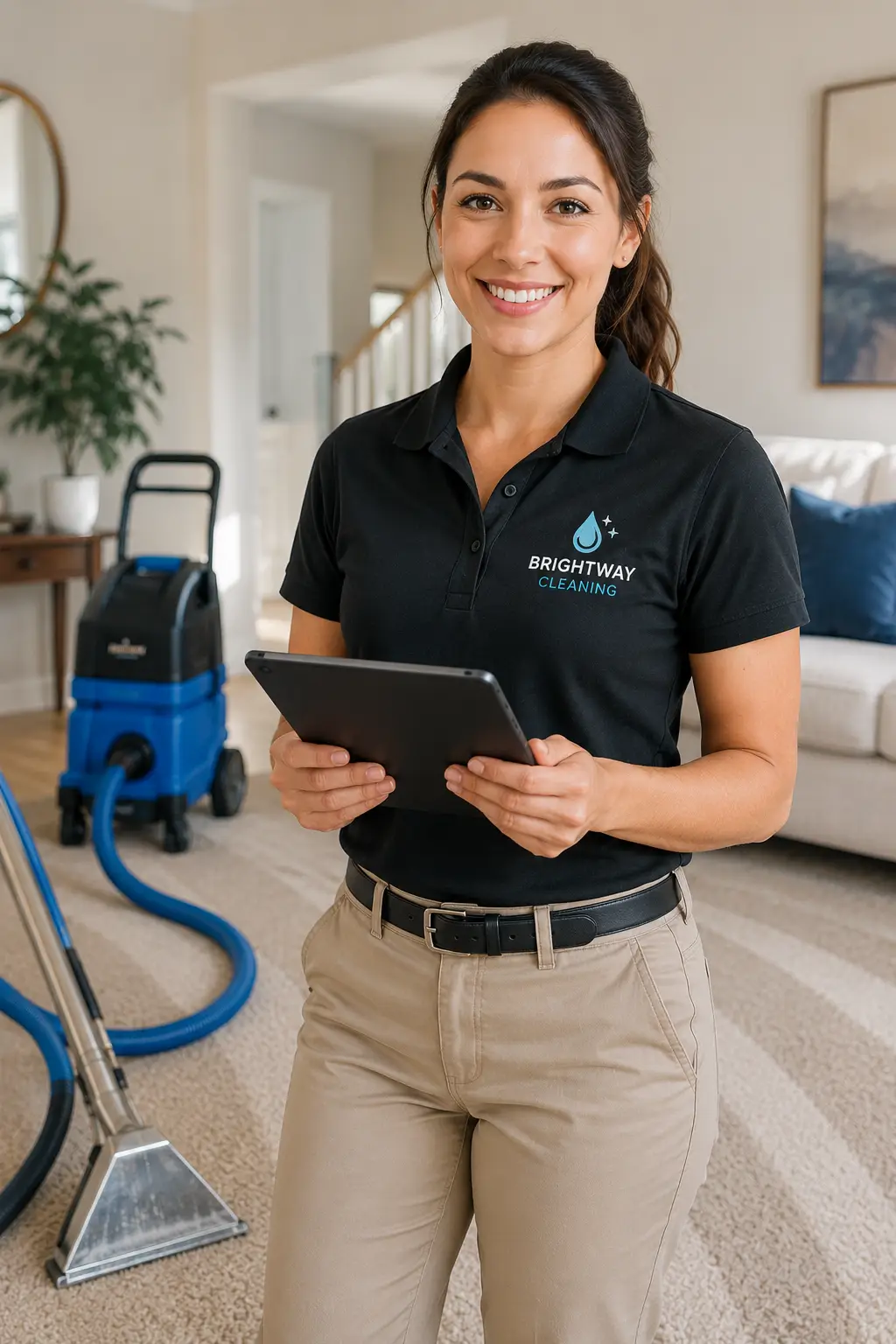
Take Your Carpet Cleaning Business to the Next Level
Tighter Routes, Bigger Tickets, and Repeat Customers — Without the 9pm Paperwork

Optimize Your Routes with Precision and Efficiency
Pack More Stops Into Every Truck Day — and Keep Night Work on Its Own Route
A truck-mount runs three to six jobs a day, and the difference between four and six is drive time, not cleaning time. Residential hot-water-extraction jobs, commercial night accounts running low-moisture encapsulation, and apartment work that needs the portable each carry different time assumptions and different equipment. Smart Service's Dynamic Route Optimization clusters residential stops by neighborhood, keeps recurring commercial visits on their own night routes, and updates the Dispatch Board in real time when a cancellation opens a slot.

Dynamic Route Optimization
Administrators plot carpet cleaning jobs as map pins and let Smart Service cluster them into the tightest routes by neighborhood and job type. Recurring commercial accounts auto-populate on the Dispatch Board each cycle, and when a same-day cancellation hits, nearby jobs can slide into the open slot instead of the truck deadheading home.

Smart Suggestions
Smart Service recommends the right truck and tech for each job based on equipment and job type. An apartment or high-rise job that needs the portable routes differently than a truck-mount residential run — and a commercial account that expects the same crew on the same night each month routes to the tech with that history. Room counts, carpet condition notes, and quoted scope travel to the mobile work order before the tech arrives.
Key Advantages of Smart Service’s Routing Solutions
- Route by Neighborhood, Not Just by Next Opening Residential jobs cluster geographically so windshield time turns into a fifth and sixth job — the difference between an okay day and a profitable one.
- Commercial Night Work on Its Own Calendar Recurring encapsulation visits and after-hours office accounts schedule on night routes with their own crews — never colliding with the residential day.
- The Right Machine on the Right Job Truck-mount, portable, and low-moisture equipment tracked and scheduled per job — no arriving at a third-floor apartment with 200 feet of hose and no portable.
- Recurring Schedules Build Themselves Monthly commercial visits, quarterly maintenance accounts, and 6- and 12-month residential re-cleans auto-populate at each customer's frequency — no manual rebuild each cycle.
Features of Carpet Cleaning Software
Scheduling, Quoting, and Repeat-Customer Management for Carpet Cleaning
Automate Every Aspect of Your Route-Based Cleaning Business
Smart Service gives carpet cleaning companies the tools to build route-dense schedules, quote room-by-room with priced add-ons, document carpet condition with photos before the wand touches it, and close every completed job directly into QuickBooks — without double entry or a 9pm office session.

Real-Time Scheduling
Smart Service builds carpet cleaning schedules by neighborhood, job type, and customer frequency — residential extraction runs, commercial night visits, and re-clean appointments all on the Dispatch Board in real time.
- Route-dense residential scheduling with drive-time-aware job clustering — more completed jobs per truck day
- Recurring commercial accounts auto-populate at their contracted frequency — monthly, bi-weekly, or quarterly night visits
- Same-day reshuffles when a cancellation hits — nearby jobs slide into the slot, customers get notified automatically

Mobile App for Technicians
The Smart Service Cloud mobile app puts the whole job on the tech's phone before the doorbell rings — room counts, quoted scope and price, carpet fiber and condition notes, pet-issue history, and every prior visit.
- Quoted scope, room-by-room pricing, and approved add-ons visible on-site — no calls to the office, no pricing disputes at the door
- Before-and-after photo capture on every job — pre-existing stain and furniture condition documented before the wand touches the carpet, proof of results after

Work Order Management
Smart Service work orders carry the full quoted scope to the field — rooms, square footage, add-on line items — and capture everything sold on-site before the truck leaves.
- Protectant, deodorizer, pet treatment, stairs, upholstery, and tile & grout added to the work order in the driveway — every upsell reaches the invoice automatically
- Completed work order data flows to QuickBooks the moment the job closes — no re-entry, no dropped line items, no 9pm paperwork

Customer Management
Smart Service stores every customer's carpet history in one record — fiber types, problem areas, pet issues, what was applied last visit, and when they're due again — visible to the office and the tech at every interaction.
- Per-home records: room counts, carpet and upholstery details, pet-treatment history, and preferred add-ons — not just a name and address
- Full service history per account — every clean, every add-on, every stain note, every photo in one place
- Customer portal access for online booking, invoice payment, and rescheduling — fewer calls interrupting the tech on the wand

QuickBooks™ Integration
Smart Service is a QuickBooks add-on — not just an integration — giving carpet cleaning businesses scheduling, quoting, and work order management that connects directly to the QuickBooks company file already running the business.
- Completed jobs close directly into QuickBooks — invoices, add-on line items, and customer records sync automatically, with no duplicate entry
- Per-job, monthly commercial, and contract billing all supported — including service agreements and maintenance plans
.webp)
Service Agreement Management
Recurring revenue is what smooths carpet cleaning's brutal seasonality — and Smart Service is built to sell, schedule, bill, and renew the agreements that create it: commercial maintenance contracts and residential re-clean plans alike.
- Commercial programs run on their real-world structure — recurring low-moisture maintenance visits with restorative deep cleans slotted once or twice a year — each visit generating ahead of time at the contracted frequency and dropping onto the Dispatch Board.
- Residential maintenance plans put households on 6- or 12-month cycles with automatic scheduling and reminders — steady bookings through the January–February trough instead of feast-and-famine.
- Automated renewal reminders go out ahead of every expiration, so commercial contracts re-sign on time and recurring route revenue never lapses.
Carpet cleaning businesses lose money in three places: drive time between poorly clustered jobs, add-ons that never make it onto the quote, and customers who would have rebooked at month eleven — if anyone had reminded them.
Smart Service is built to close those gaps: neighborhood-clustered routes, estimates that carry priced add-on options on every quote, before-and-after photos that end stain disputes, re-clean reminders that bring the database back, and QuickBooks-native invoicing that closes the loop the moment the tech checks out.
Below are the most common operational challenges carpet cleaning businesses face — and how Smart Service addresses each one.
From managing multiple technicians to tracking recurring maintenance, the demands are high.
- Drive Time Eats a Job a Day A truck-mount runs 3–6 jobs a day, and scattered scheduling is the difference — windshield time is unbilled.
- Solution Route Logistics Calendar, map views, job types, and route groups cluster residential jobs by neighborhood and keep night commercial work on its own routes.
- Phone Quotes That Blow Up On-Site Rooms bigger than described, trashed carpet, pre-existing stains, and free-furniture-moving expectations turn a $150 quote into a dispute.
- Solution Room-by-room quotes, custom fields, condition notes, photos, and documented scope set expectations before the tech arrives — and prove them after.
- The Upsell Depends on Memory Protectant, deodorizer, and pet treatment are where the margin is — and techs forget to offer them.
- Solution Priced add-on options ride on every estimate and work order, and anything sold in the driveway reaches the invoice automatically.
- Customers Vanish for Two Years The re-clean cycle is 6–12 months, but without reminders most customers stretch to 24 — while new leads cost $80–$150 each.
- Solution Service agreements, re-clean reminder campaigns, and follow-up tasks bring the existing database back on cycle.
- The 9pm QuickBooks Session A full day on the wand ends with re-typing every job into QuickBooks.
- Solution Smart Service is a QuickBooks add-on — completed jobs become invoices with no double entry.
key advantages of smartservice:
- Every Quote Carries the Add-Ons Protectant, deodorizer, pet treatment, stairs, upholstery, and tile & grout ride on every estimate as priced options — the difference between a $150 ticket and a $300 ticket, systematized.
- The Re-Clean Cycle Runs Itself Six- and twelve-month reminder follow-ups go out automatically — your cheapest lead is the customer you cleaned last year, and Smart Service makes sure they hear from you first.
- Commercial Contracts Stay on the Calendar Monthly encapsulation visits and annual restorative cleans auto-populate per account — recurring night-work revenue holds its schedule without manual rebuild.
- Stain Disputes End With Photos Before-and-after photos and condition notes on every work order — pre-existing damage documented before the wand touches the carpet.
- Cross-Sell Upholstery, Tile & Grout, and Area Rugs Sister services surface in the customer record — follow-up tasks keep diversified service lines from going cold.
- The Right Machine on the Right Job Truck-mounts, portables, and low-moisture equipment tracked and scheduled per job — apartments and high-rises never surprise the crew.
- QB-Native Workflow Smart Service is a QuickBooks add-on — every closed job becomes an invoice with no double entry.
workflow
From Quote to Re-Clean Reminder — Every Job, Every Cycle
Carpet cleaning profitability is built on route density, add-on attach rate, and repeat customers. Manual methods — a phone quote, a paper route sheet, a shoebox of invoices — break down exactly where the money is made.
Smart Service automates the full cycle: quotes carry priced add-ons, routes build by neighborhood and job type, techs work from documented scope with photos, completed jobs close into QuickBooks, and every customer lands on a re-clean reminder cycle.
How Every Carpet Cleaning Job Flows Through Smart Service
- Quotes Built Room by Room, With Add-Ons Priced In Rooms, square footage, stairs, and every add-on as line items — the customer sees the options, the tech sees the scope.
- Routes Build by Neighborhood and Job Type Residential extraction runs cluster geographically; commercial night visits hold their own routes and crews.
- Techs Arrive Knowing the Job Quoted price, room counts, carpet condition, pet history, and photos on the mobile work order — no surprises at the door in either direction.
- Everything Sold On-Site Gets Captured Add-ons sold in the driveway go on the work order before the truck leaves — every upsell reaches billing.
- Completed Jobs Close Into QuickBooks Invoice ready the moment the tech checks out — no re-entry, no evening office shift.
- The Re-Clean Reminder Goes Out On Cycle Six or twelve months later, the customer hears from you before they think to search Google.
Customers success
Smart Service's CRM for Seamless Customer Communication and Data Management
Smart Service's integrated CRM capabilities allow carpet cleaning businesses to manage customer relationships effortlessly. By keeping every home's carpet history, service records, and billing information in one place, Smart Service ensures your business runs smoothly without a separate CRM solution.
With Smart Service's CRM, businesses can track per-home details, manage service agreements, handle invoicing, and automate re-clean follow-ups from one centralized platform — turning a one-time job into a customer who comes back on cycle.


What Smart Service's CRM Does for Carpet Cleaning Operations
- Search and retrieve a home's cleaning history in seconds — rooms, prior stains, treatments applied, photos.
- Update customer records in real time from the route as jobs close or schedules shift.
- Track per-property details — carpet fiber, pet households, upholstery pieces, preferred add-ons — against each account.
- Generate reports on re-clean retention, add-on attach rate, route density, and revenue per commercial account.
- Complete Account Records Every customer's rooms, carpet and upholstery details, billing history, and communication history stored in one place — accessible to office and tech.
- Per-Home Condition Tracking Fiber types, problem areas, pet issues, and what was applied on each visit stored per property — visible before every job.
- Service and Visit History Full record of past cleans, add-ons purchased, stain notes, and photos per account — the tech walks in knowing the house.
- Automated Customer Communication Appointment reminders, on-my-way texts, review requests, and re-clean reminders sent automatically — fewer no-shows, more rebookings.
customer portal
How the Customer Portal Works for Carpet Cleaning Customers
Carpet cleaning customers fall into three patterns: residential households on a 6–12 month cycle, property managers with recurring unit turns, and commercial accounts on contracted night visits. Smart Service's portal lets each book service, view past visits, and pay invoices without calling an office that's out on the wand.
What Customers Handle Themselves:
- Book the Re-Clean Online Residential customers book from the reminder email or text without a phone call — the job lands on the schedule with their full history attached.
- Pull Service Records and Photos Property managers and commercial accounts retrieve completed work orders, before-and-after photos, and invoices for their own records — no back-and-forth.
- Add Services Before the Visit Customers add upholstery, pet treatment, or an area rug to the upcoming appointment through the portal — it reaches the work order before the truck rolls.

Empower Your Customers with 24/7 Access to Services
Revolutionize Your Workflow with the Smart Service Customer Portal – Convenience, Efficiency, and Loyalty at Your Fingertips
With the Smart Service Customer Portal, you can:
- Automate Job BookingsCustomers can book services directly through the portal, reducing phone calls and scheduling errors.
- Provide Invoicing and Payment OptionsCustomers can view invoices and make payments online, speeding up the payment process and improving cash flow.
- Offer Service History AccessCustomers can review their service histories at any time, building trust and transparency.
- Reduce Operational CostsAutomating routine tasks through the portal means your team spends less time on admin and more time on high-value work.
- Encourage Repeat BusinessThe convenience of the portal encourages customers to return for future services and recommend your business to others.
- Boost Customer LoyaltySelf-service options give your customers control, enhancing satisfaction and building long-term loyalty.
marketing
and Boost Revenue
Automate Customer Engagement and Increase Revenue with Targeted Marketing Features
Smart Service provides carpet cleaning businesses with marketing tools built for a repeat-cycle trade: automated re-clean reminders, review generation after every job, and campaigns that bring your existing database back — because a retained customer is worth many times a one-time job, and new leads cost $80–$150 each.
Each tool integrates directly with daily operations, so your marketing runs alongside scheduling, invoicing, and customer management — not in a separate system nobody updates.
Key Marketing Tools
- Email Campaigns Automated re-clean reminders at 6 and 12 months, seasonal promotions for the spring and pre-holiday rush, and win-back campaigns for lapsed customers — timed to the cycle this trade actually runs on.
- Online Booking Integration Customers book from your website or straight from the reminder — the fastest path from "the carpet looks rough" to a slot on your schedule.
- Lead Forms for Your Website Capture room counts and service interests up front so the first phone call is a booking call, not an interrogation.
- Text Campaigns Appointment reminders, on-my-way messages, and same-day promotions when a cancellation opens a route slot.
- Customer Communication and Review Generation Automated review requests after every completed job — the review engine that keeps the phone ringing without buying every lead.
analytics
See Which Routes, Techs, and Add-Ons Make You Money
Carpet cleaning runs on jobs per truck day, average ticket, and repeat rate — and all three stay invisible without data. Smart Service's Dashboards turn completed work orders into real-time reporting on completion rates, add-on revenue, and revenue by service type, so you can see exactly where the profit is and plan for the seasonal trough before it arrives.
The dashboards read live from the same system that runs your scheduling, routes, and invoicing — no exports, no Monday-morning spreadsheet.
.webp)

Key Metrics Tracked
- Appointment Metrics Scheduled, completed, and missed jobs per truck day — route density made visible.
- Work Order Metrics Completion rates and work order status across residential runs and commercial night visits.
- Customer Metrics Repeat rate and re-clean retention — the number that decides whether marketing dollars go to reminders or to new-lead ads.
- Sales/Quote Metrics Quote conversions and add-on attach rate — track whether protectant and pet treatment are making it onto tickets.
- Service Agreement Metrics Recurring commercial accounts and maintenance plans delivered on time, every cycle.
- Invoice/Payment Metrics Billing and collection speed — cash flow through the seasonal swings.
- Time Card Metrics Tech hours and job performance — including commission tracking for commission-paid techs.
TAKE action
Maximize Your Business Potential with SmartService
Smart Service gives you the tools to automate your workflow, improve operational efficiency, and deliver an exceptional customer experience. With real-time scheduling, customer management, and invoicing solutions, you can eliminate inefficiencies and focus on what truly matters—growing your business.
FAQ
Does Smart Service integrate with QuickBooks for carpet cleaning billing, including add-on services and recurring commercial accounts?
Yes. Smart Service is a QuickBooks add-on — not a standalone integration — connecting directly to your existing QuickBooks Online or QuickBooks Desktop company file. When a tech closes a job, the completed work order syncs to QuickBooks automatically with every line item intact: rooms cleaned, protectant, deodorizer, pet treatment, stairs, and upholstery add-ons included.
All standard carpet cleaning billing models are supported: per-job residential invoicing, recurring commercial contract billing for monthly and quarterly maintenance accounts, and multi-property accounts invoiced per location. Payments collected in the driveway sync straight back to QuickBooks — no double entry, no evening office session.
Does Smart Service support before-and-after photo documentation for carpet cleaning jobs, including pre-existing stains?
Yes. Technicians can capture condition photos directly from the Smart Service mobile app before the wand touches the carpet — pre-existing stains, worn traffic lanes, and furniture condition documented on the work order — and results photos when the job is done. Everything is stored in the customer's account record alongside the notes from that visit.
That documentation works in both directions: it ends disputes over stains that were there before your crew arrived, and it gives property managers and commercial accounts the proof-of-completion records they ask for. All photos are retrievable by customer, property, and job date.
Can Smart Service schedule carpet cleaning re-cleans on each customer's 6–12 month cycle?
Yes. Smart Service lets you assign a re-clean frequency to each customer based on their household — six months for homes with pets, kids, or heavy traffic, twelve months for standard households. Once the frequency is set, reminder follow-ups and recurring appointments generate automatically on that cycle, so the customer you cleaned last year hears from you before they think to search for a carpet cleaner.
Commercial accounts run the same way on their contracted schedule — monthly or quarterly low-moisture maintenance visits with restorative deep cleans slotted once or twice a year. When a job closes, the next visit is already on the calendar, and all schedule history is stored in the account record. You can override any customer's frequency at any time.
Can Smart Service help improve customer communication?
Yes, Smart Service allows you to send automated notifications and reminders to customers, keeping them informed about upcoming appointments, job statuses, and invoices, improving overall customer satisfaction.
Can my technicians access Smart Service on mobile devices?
Yes! The Smart Service mobile app gives your technicians real-time access to job details, schedules, and invoicing on the go. This allows them to stay connected and complete jobs more efficiently, reducing paperwork and delays.
How does Smart Service handle invoicing and payments?
Smart Service streamlines the invoicing process by allowing you to generate invoices from both the office and the field. Integrated payment processing helps you get paid faster, improving cash flow and reducing billing cycles.
Can Smart Service integrate with QuickBooks™ for invoicing?
Yes, Smart Service seamlessly integrates with QuickBooks™, allowing you to sync products, services, and invoices in real time. This eliminates double data entry and helps streamline your bookkeeping, ensuring accurate invoicing and faster payments.
Does Smart Service help reduce administrative tasks?
Yes, by automating key processes like scheduling, invoicing, and job management, Smart Service reduces manual administrative tasks, freeing up time for you to focus on growing your business.
Can Smart Service handle recurring jobs?
Yes, Smart Service makes it easy to schedule and manage recurring jobs. You can automate recurring appointments, ensuring that no jobs fall through the cracks.
Can I manage recurring maintenance jobs with Smart Service?
Yes, Smart Service allows you to automate recurring maintenance jobs, ensuring that they are scheduled on time and never missed.
Can I invoice directly from the job site?
Yes, Smart Service’s mobile app allows technicians to create and send invoices directly from the job site, ensuring faster payments and eliminating delays.
Does Smart Service help with customer management?
Absolutely. Smart Service centralizes all customer data, including service histories, equipment details, and invoices, making it easier to manage customer relationships and improve customer satisfaction.
Can I add parts to the work order from the job site?
Yes, Smart Service’s mobile app allows technicians to add parts, update job details, and submit work orders directly from the field, ensuring real-time updates and accuracy.
Can customers book services online?
Yes, with Smart Service’s Customer Portal, your customers can book online, view service histories, and make payments—making the process more convenient for both you and your clients.
Can I track technician performance and job completion?
Yes, Smart Service provides real-time updates on technician performance and job completion, helping you monitor productivity and improve operations.


