P

G
For Smart Service Desktop customers

Same board. Same click and drag. Just a lot more under the hood.

The Smart Service you’ve run your company on for years is in Cloud — the board, the customers, the QuickBooks. What’s new is the help sitting around it: assistants that find the open slot, catch the double-booking before you do, and answer “who owes us money?” in plain English. Same company. Same software. A lot more horsepower.

Same board you use today

Mission Control. Your Scheduler, grown up.

Open it and you’ll know exactly what to do: click, drag, schedule. Your Waiting List is there. Your Quick Entries are there. Color by whatever you like. What’s new is everything sitting around the calendar — five assistants that watch it with you.

DayWorkWeekMonthDispatch
PatJayMaryJose
89101112123
Install
8:00
Repair
10:30
PM Visit
1:30
Estimate
8:00
Water Heater
12:00
No Heat
2:30
Tune Up
8:30
Duct Work
11:30
Filter Swap
1:00
New Work Order
10:00–12:00
Mission Control

Looks like your board. Acts like your board.

Day, Work, Week, Month, and a Dispatch view laid out like the one you run today. Click in a tech’s column, drag down to the end time, and the job is on the board. Double-click, it opens. Keyboard shortcuts if you’re that person. Then, when you’re ready, meet the five assistants below.

See Mission Control →
Assistant No. 1

Wingman Just ask it.

“Who’s overloaded tomorrow?” “Who has room for a two-hour job Friday?” Type it or say it. Wingman answers, proposes the move, and waits for your OK. It never touches the schedule on its own.

Who's overloaded tomorrow?
WINGMAN
Pat is 1.5 hrs over. I can move the 2:00 PM A/C Tune Up to Jay — 4 min more drive, no overtime.
PatJayMary
Install8:00Repair10:30A/C Tune Up2:00
Tune Up8:30No Heat11:00
Approve planApproved
More on the assistants →
Assistant No. 2

Intelligence A second set of eyes.

Double-bookings, a tech running late, a gap you could fill, a waiting-list job that fits today’s route — ranked Critical, Important, Opportunity, with a one-click fix.

PatJayMary
No Heat10:30Tune Up10:30Estimate2:00
Repair8:00Install1:30
PM Visit8:30Duct Work11:30Water Heater2:00
INTELLIGENCE● LIVE
CRITICALPat is double-booked at 10:30.
View
IMPORTANT90-min gap on Jay's route. 2 Unassigned List jobs fit.
Preview
OPPORTUNITY36 Unassigned List jobs fit this week's routes.
Schedule
More on the assistants →
Assistant No. 3

Night Vision Finds the slot for you.

Type the address, pick the skills the job needs, say when the customer wants it — ASAP, tomorrow, this week — and it ranks your five best openings, scored on drive time, overtime risk, skill match and route fit. Pick one and it’s booked. Nothing fits today? Night Vision keeps watching and pings you the moment a slot opens.

More on the assistants →
Assistant No. 4

Forecasting See next week today.

It learns your last eight weeks — busy Mondays, quiet Fridays, the seasonal swing — and colors every upcoming day by how full it really is. Orange is capacity you haven’t sold yet. Red means you’re headed for overtime. It updates itself as the week fills in, so you steer bookings instead of just taking the next open slot.

More on the assistants →
Assistant No. 5

Optimization Less windshield time.

One click reorders a tech’s stops for the day and shows the miles and minutes saved before anything moves. Confirmed appointments stay put. And you do it right here — without leaving Mission Control.

More on the assistants →
5 stops · today
Optimize This Day
PROJECTED SAVINGS
−47 min
18 fewer miles · $63 saved
You already text customers. Cloud does the parts nobody has time for.

The phone rings less. The money shows up sooner.

Two-way texting isn’t new to you. What’s new: one shared inbox the whole office works from, messages that send themselves when a job changes status, and one button that texts everyone on tomorrow’s board.

TEXT MESSAGING
Dana R.ResolvedUnclaimedClaimed · MaryThanks, see you then!Here's the unit — can someone come Tuesday?
Chris L.Claimed · MaryWater heater install quote
Sam T.ResolvedThanks for the quick fix!
Alex P.UnclaimedIs the tech still coming today?
Dana R.Oak Ave · Furnace
Claim
Confirmed via SMS
Furnace is rattling again this morning.
Here's the unit — can someone come Tuesday?
WHISPER · INTERNALPat — this is the Oak Ave furnace from last fall.
Hi Dana, we can be there Tue 9–11. Reply C to confirm.
C
Text Messaging Center

One inbox. The whole office. Photos included.

Every customer text lands in one shared inbox. Claim a conversation so two people don’t answer it. Drop a Whisper note your teammate sees and the customer never does. Reply from a template that fills in the name and the arrival window. Customers can text you a photo of the unit. And when they reply C, the appointment marks itself Confirmed via SMS.

More on texting →
JOB · OAK AVE
Furnace tune-upDana R. · Tue 9–11 · PatSTATUS
BookedReminderOn the wayComplete
Status changemessage sends
CUSTOMER TEXTS

You're booked for Tue 9–11 with Pat.

SENT AUTOMATICALLY

Reminder: we'll see you tomorrow 9–11.

SENT AUTOMATICALLY

Pat is on the way — about 20 min.

SENT AUTOMATICALLY

Thanks! Your invoice is attached.

SENT AUTOMATICALLY
Mon
Tue morning
Tue 8:40
Tue 11:05

Reminders & “on the way” They send themselves.

Booked, reminded, on the way, done — every status change can fire a text or an email in your words. Desktop sends the reminder and the en-route text; Cloud lets you hang a message on any step. After hours, a keyword auto-reply answers “are you open?” so nobody has to.

More on notifications →
OVERDUE SEQUENCE
INVOICE #1042Dana R. · Oak Ave · Furnace
Balance $480PAID · $0
3060900days outstanding
AUTOMATED STEPS
Day 30 · Friendly emailSENT
Day 60 · Firmer email + textSENT
Day 90 · Statement sentSENT
Runs on its own until it's paid.

Overdue sequences You stop being the one who remembers.

You can email past-due invoices from Desktop today — from Manage Invoices, by hand, when somebody thinks of it. Cloud runs the sequence: day 30 a friendly email, day 60 a firmer one plus a text, day 90 a statement. On its own, until it’s paid.

More on getting paid →
TOMORROW · WED
6 appointments6 selected
8:00Dana R. · Furnace tune-up
9:30Chris L. · Water heater
11:00Sam T. · AC repair
1:00Alex P. · Duct cleaning
2:30Jordan K. · Thermostat
4:00Riley M. · Furnace tune-up
CustomersEmployees
MESSAGE

Reminder: your Smart Service tech arrives tomorrow between {window}. Reply C to confirm.

Send to 6Sent · 6
Dana R. · 8:00SentC · confirmed
Chris L. · 9:30Sent
Sam T. · 11:00SentC · confirmed
Alex P. · 1:00Sent
Jordan K. · 2:30SentC · confirmed
Riley M. · 4:00Sent

Campaigns & bulk texts Everyone on tomorrow’s board, one send.

Pick tomorrow’s appointments in the Appointments Center, pick the template, send — and watch the confirmations come back. Storm rolling in? Text the whole crew the new start time from the same screen.

More on campaigns →
Open invoices
$312 · Furnace repairDue Friday · Oak Ave
Pay withCard or bank
Pay $312Paid
Quote
Quote #2210New water heater
Deposit due · $150
SIGN HERE
Approve & signApproved
$150 deposit paid
Book a visit
Fall tune-upPick a time that works
Tue · 8–10 am
Wed · 8–10 am
Wed · 1–3 pm
Book itYou're booked · Wed 8–10
Your visits
Mar 3 · Furnace repairInvoicePhotos
Nov 12 · Fall tune-upInvoiceReport
Jun 2 · A/C installInvoicePhotos
Customer portal
Pay invoices by card or bank
Approve, sign, and pay the deposit
Book the next visit
See every visit and document

Customer Portal They pay — and book — from the couch.

Their own page. Open invoices paid by card or bank. Quotes approved and signed, deposit down, from the kitchen table. The next visit booked from the services and times you allow — and it lands on your board without anyone typing it in. Every past visit, invoice, photo and report in one place. Card on file for the regulars.

More on the Customer Portal →
New call
CallerDana R.
Took callMary
ObjectiveQuote request
NoteWants a price on a heat pump
Save & schedule follow-upSaved · Follow-up Thu
Follow-ups · This week
MON
TUE
WED
THU
Follow up
Dana R.
FRI
OutcomeWonLostPending
Team calls todayManagers see everyone’s calls
Mary6
Jay4

Calls & follow-ups Every “maybe” lives somewhere.

One person at the front desk or a full call center — every call is logged with who took it, what they wanted, and what happens next. Managers see the whole team’s calls; each rep sees their own. Open quotes get a follow-up reminder on their own. Nothing rides on a sticky note.

More on call management →
Built since you last looked

And the things you’ve been asking us for.

Most of these started as a phone call from a customer like you. All of them are in Cloud today.

Smart Service · Live
J
No Heat
2:30
Reports · Revenue by month
Booked this week128
Open quotes17
Dana R.
Can someone come Tuesday?
Tue 9–11 works. Reply C to confirm.
C
✓ Confirmed
Office
Kitchen table
Bleachers
One system. Every screen. Live.
Run it from anywhere

The board goes where you go. Live on every screen.

Laptop at the kitchen table, iPad at the airport, phone in the bleachers. It’s the same Mission Control, and a job you move on one is moved on the others before you look up. Nothing to install, nothing to remote into, no office PC that has to stay on.

More on Smart Service Cloud →
VideoTim’s Task Boards video — new example (truck inspections, onboarding the new hire, permit paperwork, a big install).

Task Boards For the work that isn’t a work order.

Plenty of your business doesn’t involve a wrench and a customer, and it still needs scheduling, organizing, and somebody owning it. Truck inspections. Onboarding the new guy. The permit pile. Drag it across the board; it moves itself as the work does.

More on Task Boards →
Work Order #5531 · Oak Ave
ItemsTools ▾
Price Book
Labor · 2 hr
2-Ton Condenser$1,240
Create POPO #118 created
HS
HVAC Supply Co.Price Book
Shown on the quote or work order
Air conditioners › Condensers
2-Ton Condenser$1,240
1.5-Ton Condenser$980
3-Ton Condenser$1,560
2.5-Ton Condenser$1,110
2-Ton Condenser · 16 SEER

Outdoor unit · 208/230V · 2-stage

$1,240
Product page · Video · Expand image
Qty1Add itemAdded

Price Books The vendor’s catalog, right on the quote.

Your suppliers’ catalogs live inside the app — pictures, descriptions, product pages, even the product video. Open one right from the quote or work order, show the customer the options, tap Add Item, and the purchase order is one click away. Your Price Breaks come along too.

More on quoting →
SERVICE AGREEMENTS
Standard2 visits / yr
Premium2 visits + priority
Gold4 visits + priority + parts
OnFurnace · 412 Oak Ave
Tied to the equipment, not a sticky note.
BILLS ITSELF
Card on file
Invoice and Pay · autoSENTPAID
Next visit scheduled · Mar 14

Service Agreements Any shape. They bill themselves.

Standard, Premium, Gold — or whatever your customers actually need. Billing, payment, and the next appointment all tied to the equipment. Card on file, “Invoice and Pay,” done. confirm vs. Desktop SA module

More on service agreements →
COMMISSIONS · ON THE JOB
Job #5531COMPLETE
Water heater install8%
Expansion tank8%
Labor5%
CommissionJay$0.00$54.20$96.40
Visible all month. One report on payday.
TECH VIEW
JJay · September
Month to date$1,240$1,336
14 jobs15 jobs
Report ready

Commissions Three days a month, back.

Per item, per tech, per plan. Calculated on the job, visible to the team all month, one report at the end. No spreadsheet fights on payday.

More on managing the team →
CUSTOM AUTOMATIONS
WHENJob status COMPLETE
THENEmail the customer the invoice
THENCreate task: order filter for next visit
THENNotify manager if ticket > 4 hrs
Built around how you already run the shop.

Custom workflows Your way, automated.

When this happens, do that. Our team builds the automations around how you already run the shop, not the other way around. confirm scope wording

ROUTE LOGISTICS · WEEK
Revenue vs goalHours vs goal
MON
TUE
WED
THU
FRI
CREW A
North loop7.5 h
Oak Ave8 h
Maple St6 h
Eastside9.5 h
Downtown7.5 h
CREW B
Southside5.5 h
Pine Rd8 h
Harbor7.5 h
Westgate6 h
Lakeview8 h
LIVE MAP

Route Logistics For shops that need the bigger route tools.

Optimization in Mission Control handles a tech’s day. If you run crews on recurring routes with revenue and hours goals, the Route Logistics Calendar puts every route against its goal, color-coded, on one calendar with a map.

More on routing →
SHOP BOARD · LIVE
Board 1 of 9Board 2 of 9
Jobs this week96114128
Jobs today182631
Open quotes91417
Avg ticket$388$401$412
TECH SCOREBOARD · JOBS THIS WEEK
Pat14
Jay11
Mary9
Rotates on its own.

Dashboards On the shop TV.

Live numbers, nine boards, rotating on the wall so the crew sees the score.

More on dashboards →
Curious what yours looks like?

Thirty minutes. Your board, your customers, running in Cloud.

Your questions, your pace, and if you want it, your own data on the board. No slide deck.

Same reports. You just stop building them.

The Oracle. Ask. Don’t run reports.

You know the question. You just don’t want to build the report to answer it. Ask The Oracle in plain English and it comes back with the table, the chart, or the statement — from your live data.

Ask“Who owes us money?” → an aging list you can email as a statement.
Ask“Revenue by month, last year vs. this year.” → the chart, already drawn.
Ask“Which lead source actually turns into paid work?” → ranked, with dollars.

Save the questions you ask every Monday and they rerun on fresh data.

Meet The Oracle →
InvoicesLast quarter
Which service types lost money last quarter?
Reading 1,284 invoices…
Duct cleaning ran −8% on 14 jobs. Labor averaged 2 hrs over estimate.
Margin by service typeLast quarter · 1,284 invoices
31%Maintenance
24%Repair
17%Install
−8%Duct Cleaning
AR Aging ReportExported from your old system
SAVED PROMPTS
Sales Tax Liability
Month-End Close
AR Aging
AR AgingLIVE · TODAY
Current$48,210
1–30 days$21,905
31–60 days$12,440
61–90 days$6,180
90+ days$3,375
Total receivable$92,110
TECH NOTES
unit not cooling. bad cap 45/5 swollen, replaced. running 18 deg split. filter real dirty told cust every 3 mo. recmnd maint plan
✦ ImproveSimplifyShortenFormalEspañol
AI WRITING ASSISTANT
Customer-ready description will appear here…
On arrival, the system was not cooling. We found a failed 45/5 MFD run capacitor and replaced it. The unit is now running normally with an 18° temperature split. The air filter was heavily clogged — we recommend replacing it every three months, and a seasonal maintenance plan to prevent repeat issues.
Al llegar, el sistema no enfriaba. Encontramos un capacitor de arranque 45/5 MFD dañado y lo reemplazamos. La unidad funciona normalmente con una diferencia de 18°. El filtro de aire estaba muy sucio — recomendamos cambiarlo cada tres meses y un plan de mantenimiento estacional para evitar fallas.
✓ IN YOUR COMPANY VOICE · ENGLISH✓ IN YOUR COMPANY VOICE · ESPAÑOL
YOUR DRAFT
Your invoice is 60 days late. Pay it now or we send it to collections.
ACTION
✦ Tone · Formal
AI WRITING ASSISTANT
Rewrite will appear here…
Hello — our records show invoice #1042 is now 60 days past due. Could you arrange payment this week? Thank you.
✓ REWRITTEN · FORMAL TONE
YOUR DRAFT
Reminder: your appointment is tomorrow at 9. Text back if that doesn't work.
ACTION
✦ Translate · Español
AI WRITING ASSISTANT
Translation will appear here…
Recordatorio: su cita es mañana a las 9. Escríbanos si no le funciona.
✓ TRANSLATED · ESPAÑOL
Same notes. They just read better.

Writing Assistant. Every note sounds like your best day.

Your techs are great at the work and bad at the write-up. That’s fine now. One click turns the note into something you’d let a customer read — cleaner, shorter, friendlier, more formal, or in Spanish.

FixThe tech’s note on the invoice, before it goes out.
ToneThe “your invoice is 60 days past due” email, firm but not rude.
TranslateThe appointment reminder, in the customer’s language.
More on the AI tools →
Same manuals. Nobody carries them anymore.

Knowledge Center. Thirty years of know-how, on the tablet.

Load the service manuals, the spec sheets, and the stuff only your senior guy knows. Now the new guy asks a question on site and gets the answer — page reference and all — instead of calling the shop.

Ask“Error code E4 on a commercial dishwasher — what do I check first?”
Ask“What’s the torque spec on this compressor’s mounting bolts?”
Ask“What did we do the last time this unit threw this code?”
More on the AI tools →
YOUR DOCUMENTS
Rooftop Unit Service Manual212 pages
Tankless Water Heater Install Guide64 pages
Mini-Split Troubleshooting Guide
Uploading…✓ Indexed · ready to ask
ASK YOUR DOCUMENTS
What's the max external static pressure on this unit?
Searching 3 documents…
Max external static pressure is 0.8 in. w.c. for the 7.5–12.5 ton models. Above that, check filter loading and duct restrictions before adjusting blower speed.
Rooftop Unit Service ManualPage 42 · Table 6 · Airflow performance
ASK YOUR DOCUMENTS
Error code E4 on a commercial dishwasher — what do I check first?
Searching 3 documents…
E4 = drain fault. Check the drain pump filter first, then the float switch. Manual p. 42.
SOURCE
Service manual · p. 42
3 sources
Answered on site · no call to the shop
Let’s just say it

Change is a pain. Here’s what doesn’t change.

Nobody wakes up wanting new software. You want the business to run and the phone to stop. So here’s what Desktop customers actually ask us, answered straight.

“I’ve got fifteen years of customers in there.”

They all come. Customers, locations, jobs, equipment, history — our conversion tool moves Desktop data to Cloud automatically, and a person checks it with you before you go live. confirm list

“My office manager will kill me.”

She’s usually the first convert — hers is the phone that stops ringing. We train her first, in short sessions, on your data, and she decides when you flip.

“What if the internet goes down?”

Your phone is a hotspot and your techs are already on cellular. And the flip side: when the office PC dies at 4:50 on a Friday, the business is still up.

“I’m not switching QuickBooks.”

You don’t have to. Cloud works with QuickBooks Online and QuickBooks Desktop. Your books stay your books.

“Nothing changes until I say so.”

Correct. Desktop keeps running while you learn Cloud. You pick the go-live day. confirm

“Who do I call?”

Same number, same building in Dublin, Ohio, same people who answer your Desktop calls today — nine out of ten of them live.
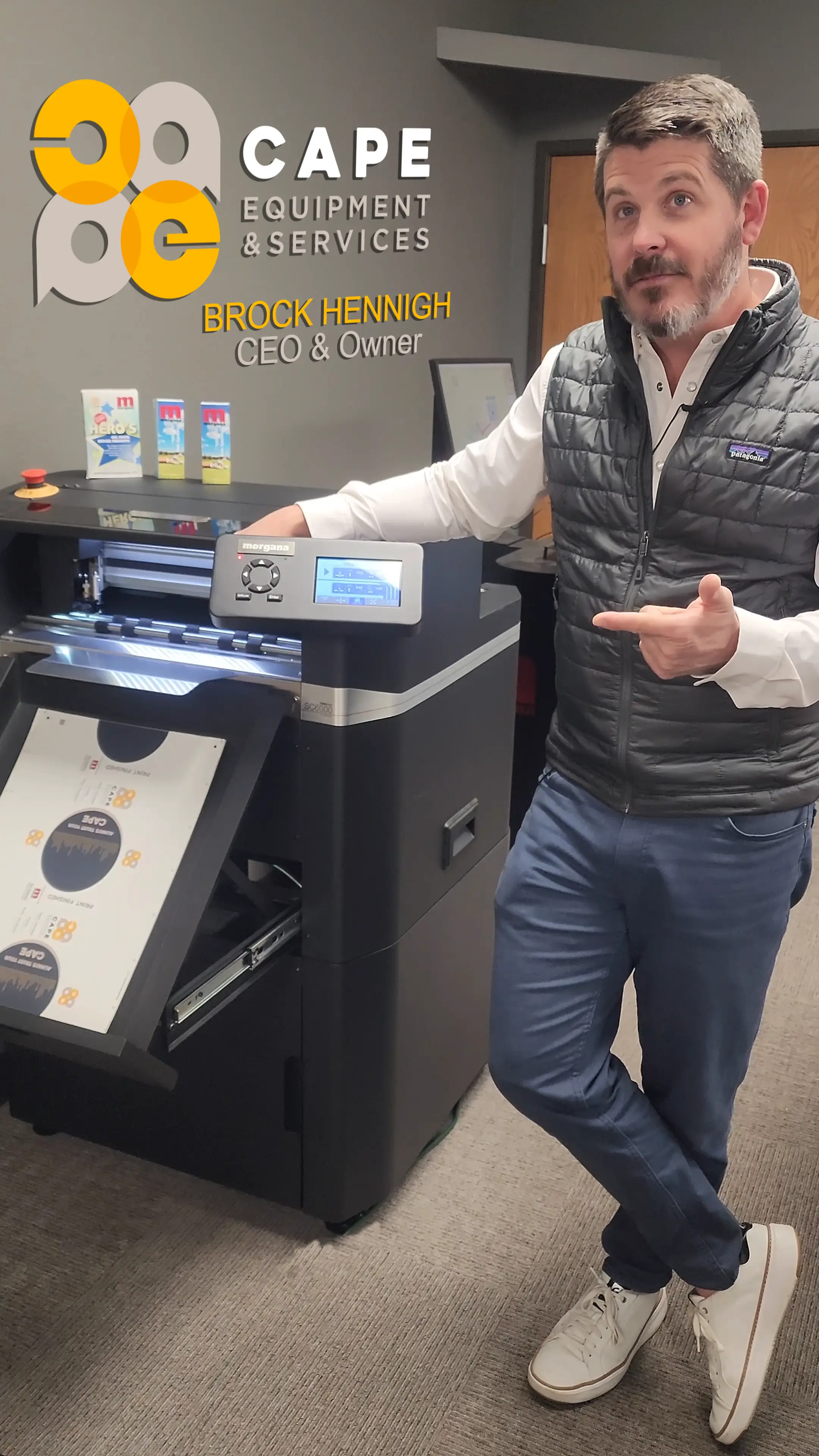
The guy bidding against you next week is texting the customer a quote from his truck.

Same trade, same town, same customers. He’s just answering faster. You have the same tools waiting — you’ve had them for years, you just haven’t turned them on.

A Cloud customer, in his words

“Just by having Smart Service with this already built in, it’s been a game changer. It’s turbo fuel. Rocket fuel.”

Brock Hennigh · CEO & Owner, Cape Equipment

Questions Desktop customers ask.

Will my Desktop data transfer to Smart Service Cloud?+
Yes. Customers, locations, jobs, equipment, and history convert automatically with our migration tool, and our team reviews the result with you before go-live. confirm exact list
Do I have to move to QuickBooks Online?+
No. Cloud works with QuickBooks Online and with QuickBooks Desktop. With QuickBooks Desktop you import your lists and customers and send invoices and payments back with a click; with QuickBooks Online invoices post automatically. If you plan to change QuickBooks too, we’ll sequence it with you.
Is Mission Control hard to learn if I know the Scheduler?+
No. Click and drag works the way it does today; the Waiting List, Quick Entries, and color-by are all there. The assistants are extra buttons you can ignore until you’re curious.
What about my Price Breaks and custom work orders?+
Price Breaks and QuickBooks Price Levels live on in Cloud’s Pricing Options. Custom work order files don’t move as files — Cloud has its own work order, quote, and invoice designers, and we rebuild your layouts with you during onboarding.
Can I keep Desktop running while we switch?+
Yes. Learn Cloud while Desktop runs your day, pick your go-live date, and we convert your data then. confirm
What does training look like?+
One-on-one sessions over Zoom on your own data, the Smart Service TV video library, and training videos inside the app under Help. Short sessions, not a training day. Same support hours as Desktop, 8:30–5:30 ET.
What does it cost?+
Cloud is a subscription and onboarding is included. Request pricing below and we’ll quote it against what you pay today.
Thirty minutes. Your data if you want.

See your business running in Cloud.

Tell us you’re a Desktop customer in the notes and we’ll skip the sales pitch and go straight to your board.

Image · 2:3Person on the phone with a Smart Service rep, or a Desktop customer’s office. Warm, real, not stock-looking.

request a demo

See Smart Service live and in action.